What is Kids Scroll?
Kids Scroll is a child-friendly progressive web application (PWA) that provides a collection of fun and educational activities for toddlers. Our platform offers a safe environment where children can enjoy endless visual entertainment and creative activities without risks.
Our app includes multiple engaging activities including an infinite gallery of fun, randomly generated avatar images, a creative drawing canvas, and interactive games. Each activity is designed specifically for young children to promote creativity, learning, and development.
Why Parents Choose Kids Scroll
- No exposure to inappropriate content or strangers
- No advertisements or in-app purchases
- No social media features that could lead to unwanted interactions
- No clickable buttons that could lead to other websites or apps
- Protects children from accidentally sharing personal information
- No risk of children accessing adult content or contacting strangers
- Simple, clean interface designed specifically for children
- Works offline once installed, reducing data usage concerns
How Kids Scroll Protects Your Child
Unlike other popular apps, Kids Scroll eliminates the risks associated with:
- Share buttons - No option to share content elsewhere
- Direct Messages (DMs) - No messaging features that could connect to strangers
- Reply buttons - No comment sections or reply options
- Follow buttons - No way to follow other users
- Like buttons - No engagement metrics that could influence behavior
- External links - No clickable links to other websites
- Personal information requests - No forms or data collection
Our app provides engaging activities that children enjoy, but in a completely safe environment designed specifically for them.
Installing Kids Scroll as an App
For the best experience, install Kids Scroll as a standalone app on your device. This creates a full-screen experience without browser controls and allows offline usage.
Automatic Installation
When you visit Kids Scroll, you may see an "Install App" popup. Simply tap "Install" to add the app to your home screen.
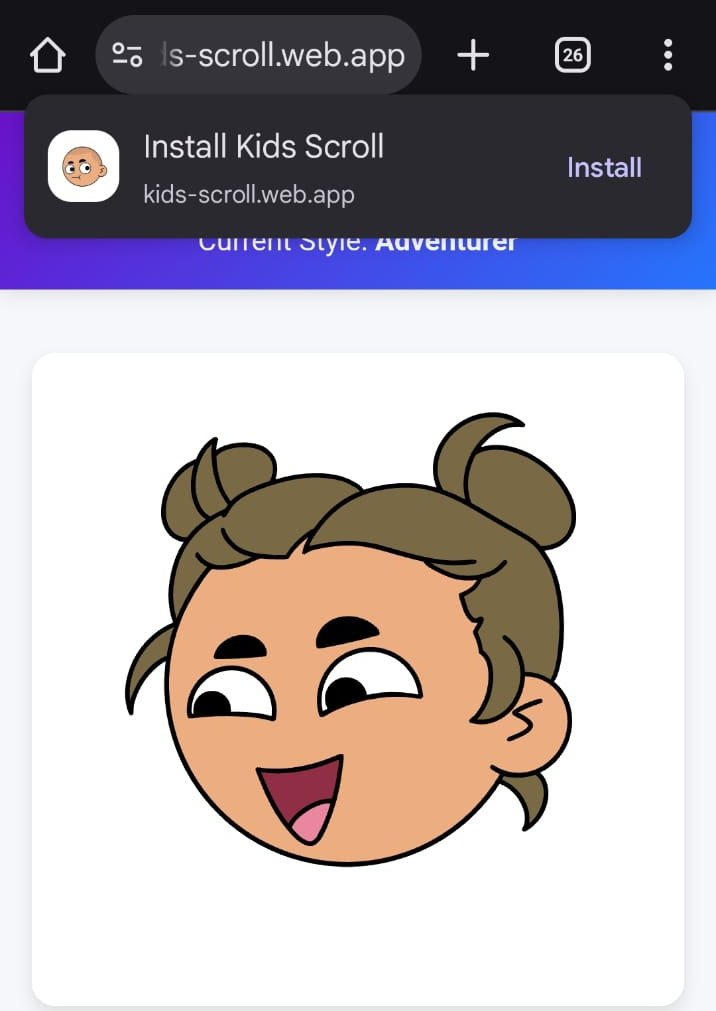
Install popup notification
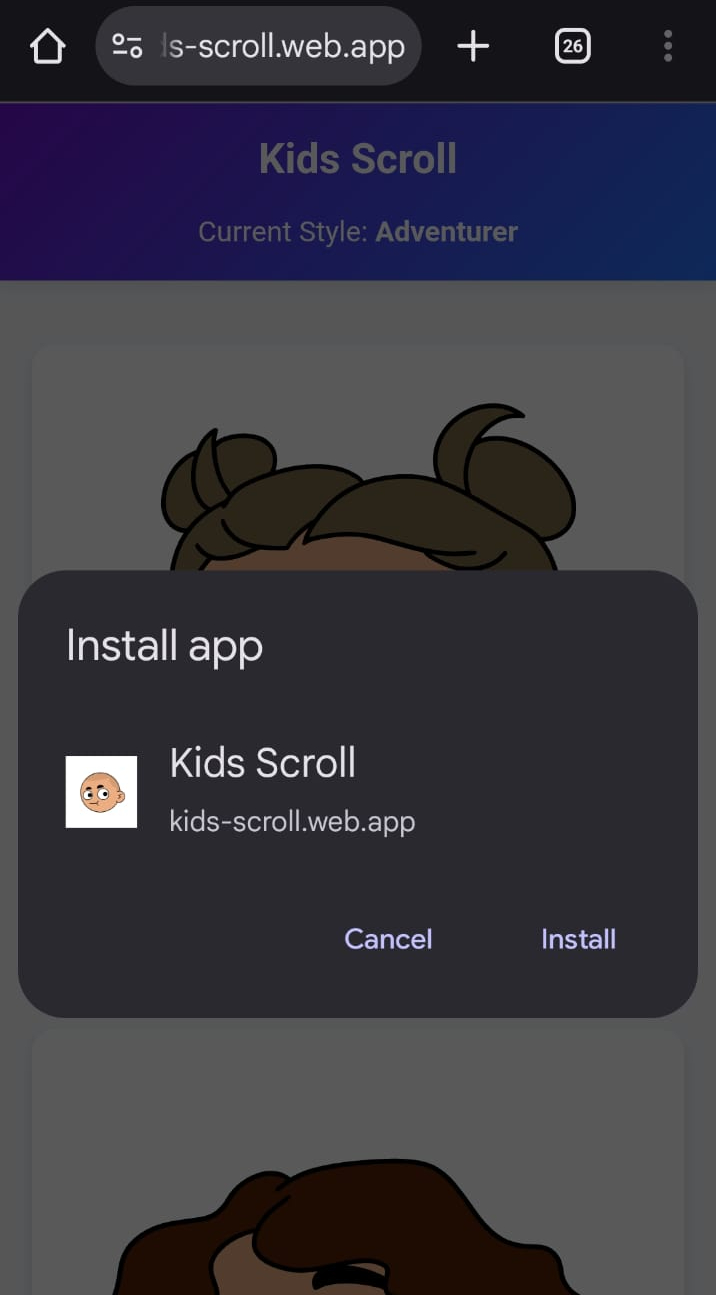
Installation confirmation dialog
Manual Installation
If no popup appears, tap the menu icon (three dots) in your browser and select "Add to Home Screen".
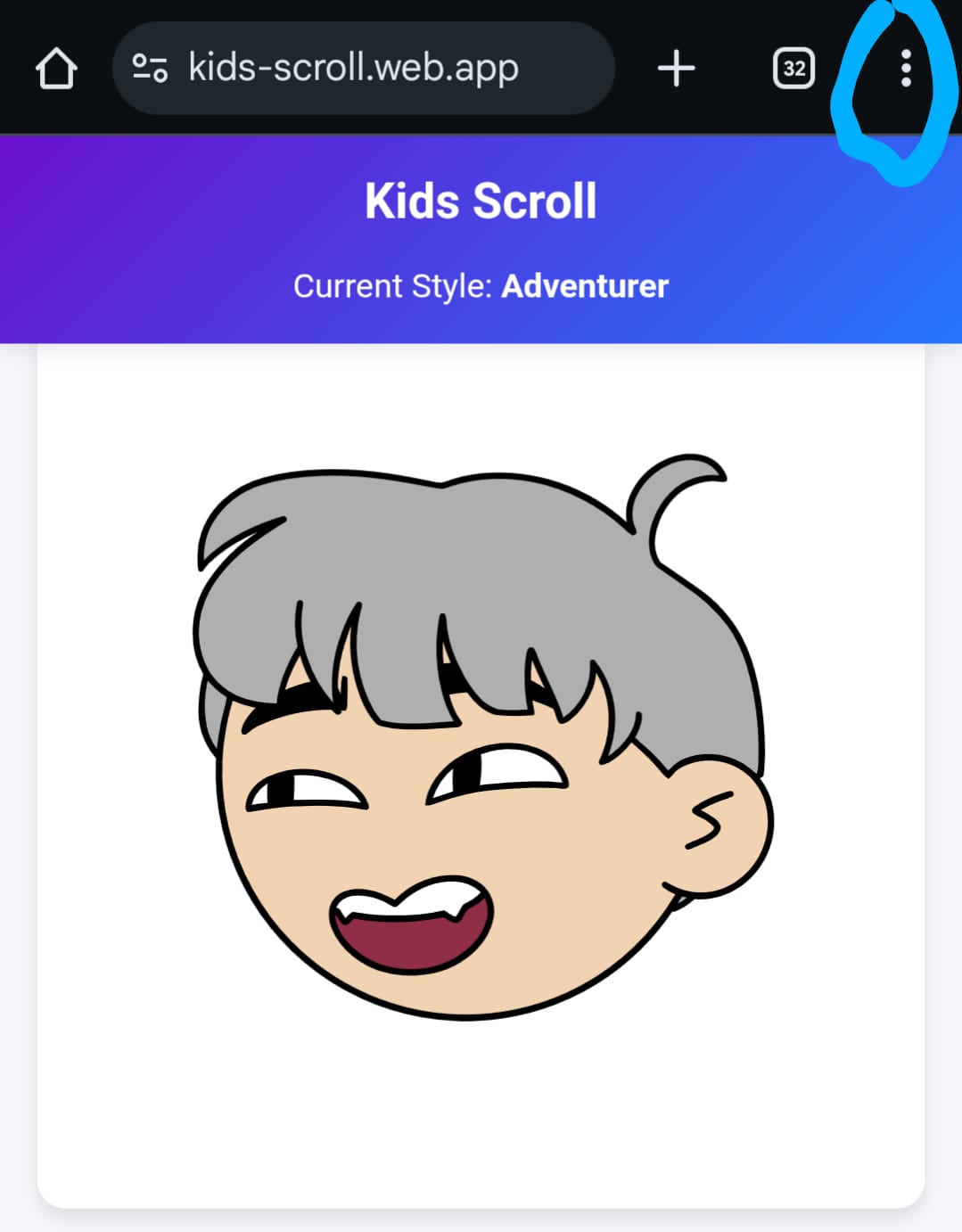
Browser menu
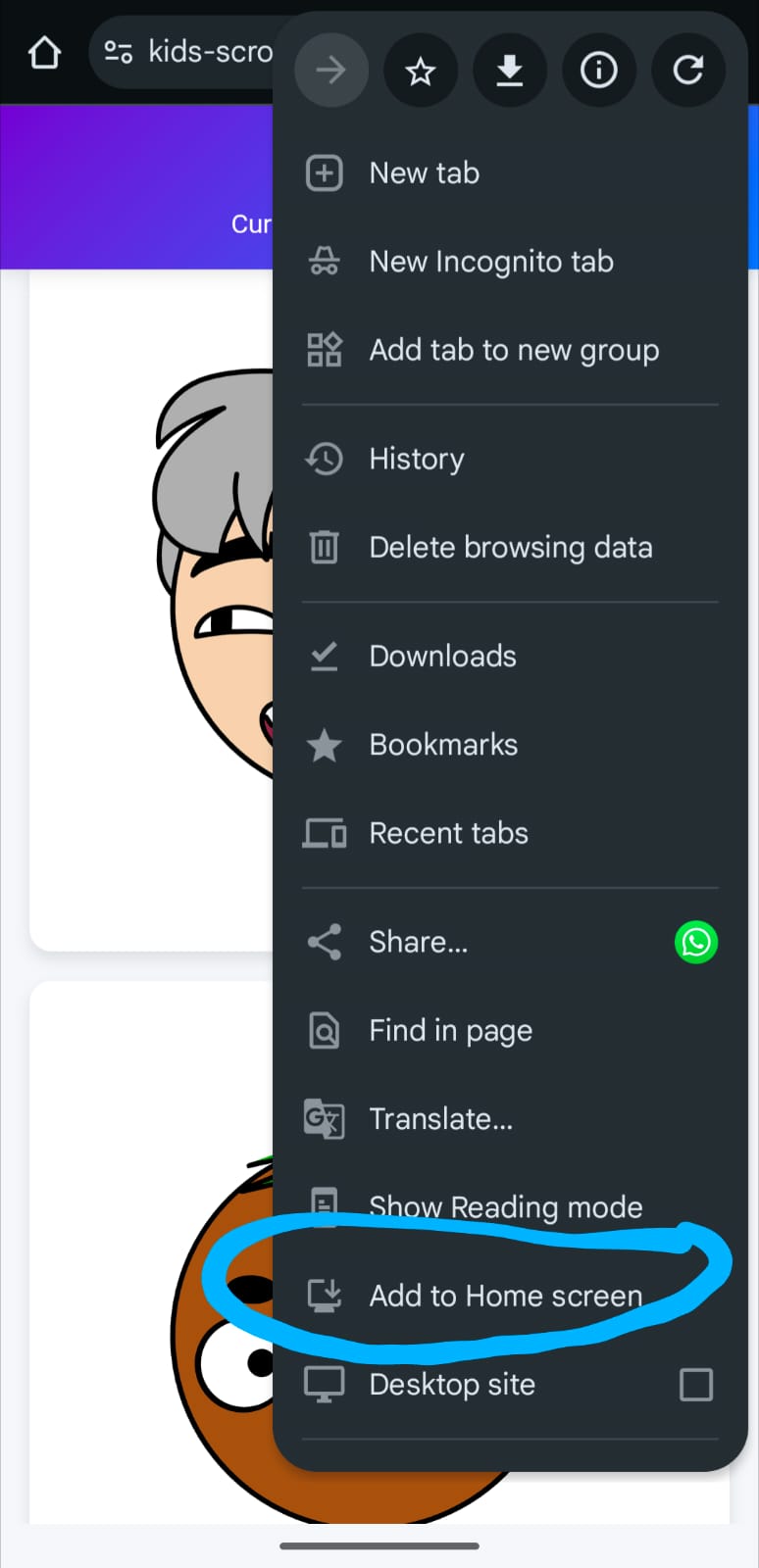
Add to home screen option
Installation confirmation dialog
Features
- Infinite scroll of unique, child-friendly avatars with celebration effects
- Interactive drawing canvas with VIBGYOR color gradients
- Multiple avatar styles to keep children engaged
- Works offline once installed as an app
- No internet connection required after initial load
- Completely free with no in-app purchases
- No registration or account required
- Designed specifically for young children
- Regular updates with new activities
Games
- Avatar Scroll - Infinite scrolling avatars with celebrations
- Drawing Canvas - Creative drawing space for kids
- Rocket Burst - Pop rockets with colorful explosions
- Color Mixture - Mix colors to discover new ones
- Animal Fight - Watch animals battle it out on the canvas
- What is it? - Guess the emoji from the options
- Spot the Pair - Match pairs of emojis in the grid
- Shadow Match - Match emojis to their shadows
Getting Started
To start enjoying Kids Scroll:
- Visit offlinekidsgames.com in your mobile browser
- Follow the installation instructions above to add it to your home screen
- Open the app from your home screen
- Let your child enjoy the safe, fun activities!
Additional Tips:
- Use Android App pinning feature to pin this app.
- The kids won't even be able to switch apps or minimize it.
- Giving you complete freedom of mind.
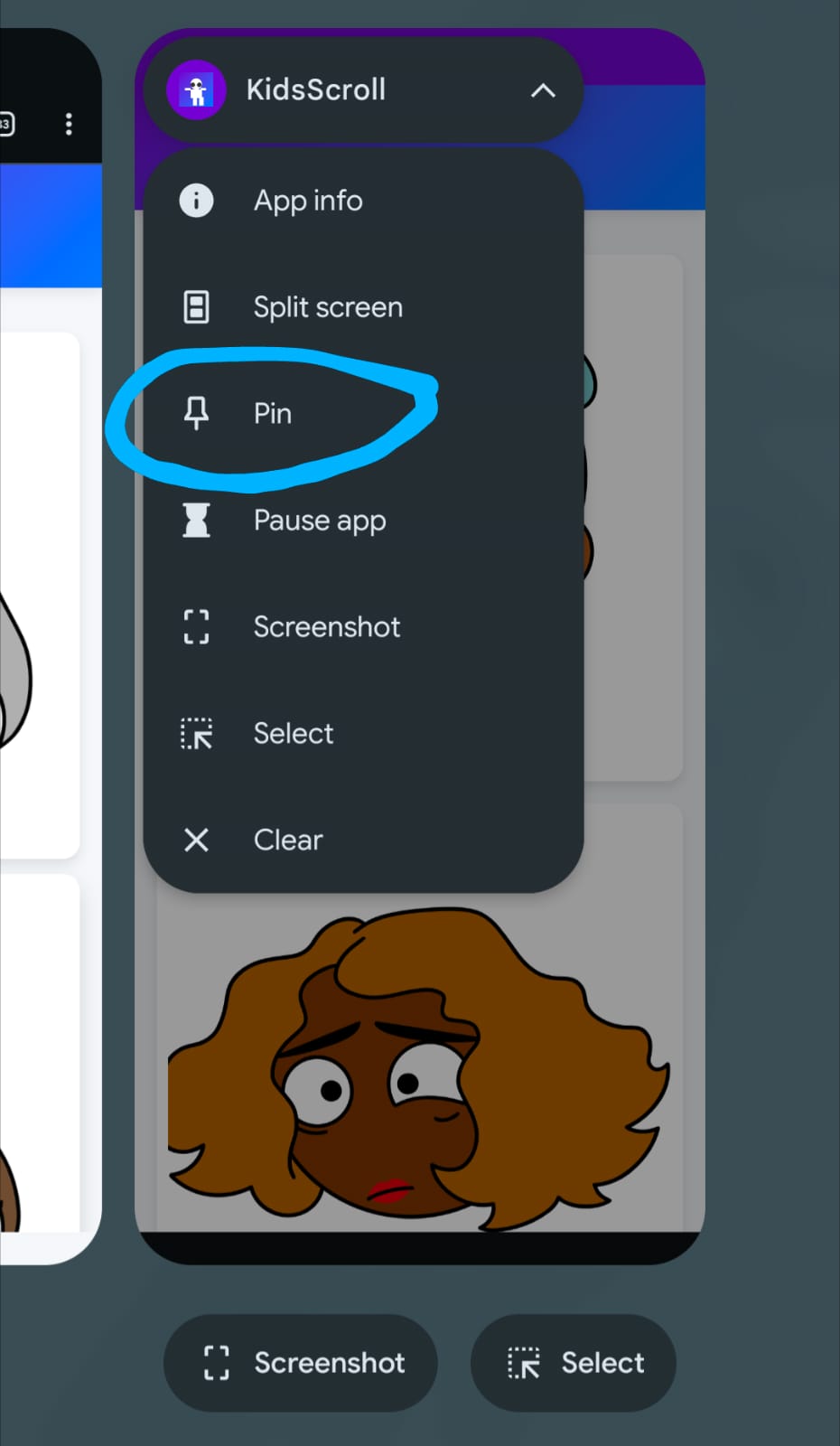
How to pin the app
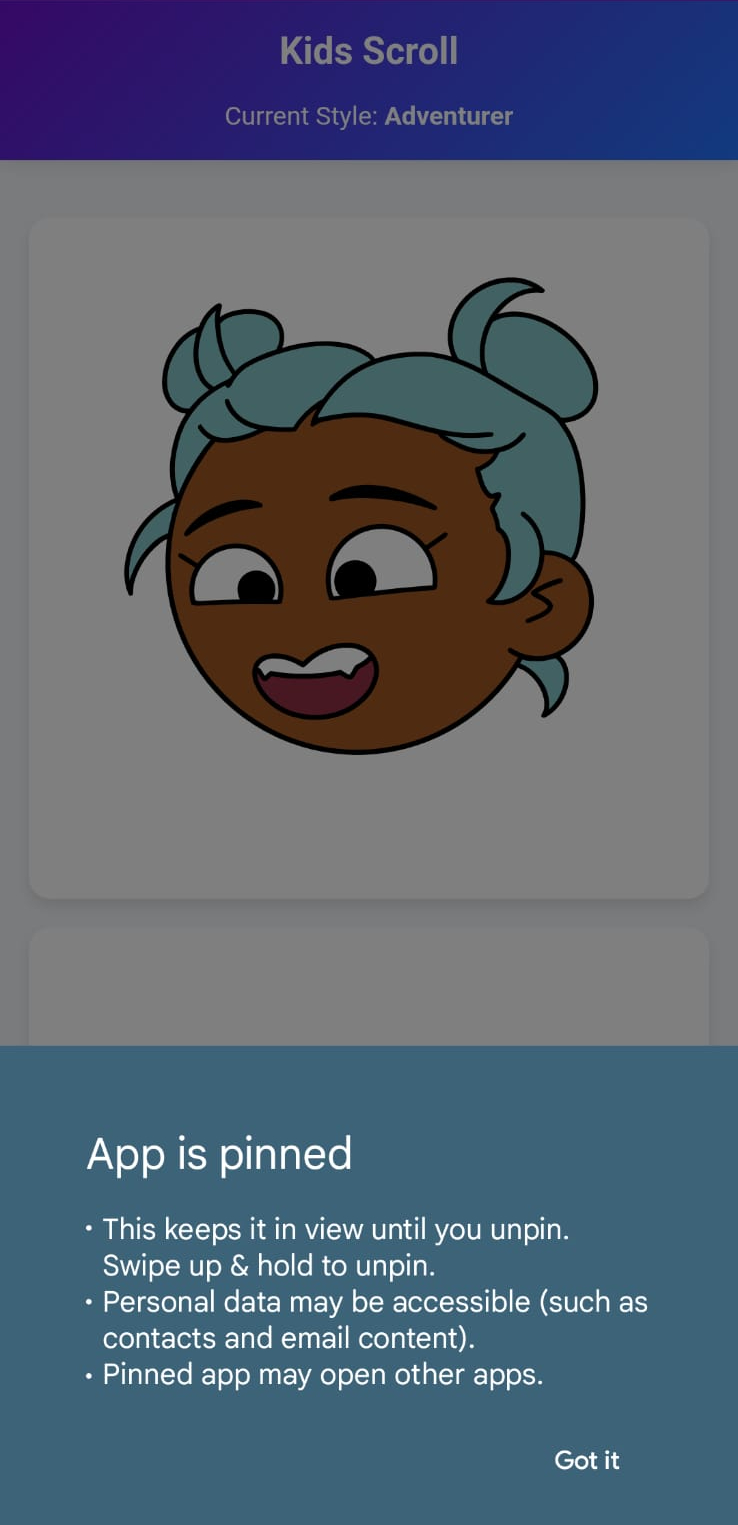
Message shown after pinning the app