What is Kids Scroll?
Kids Scroll is a safe, ad-free, 100% offline early childhood learning platform built by a parent for toddlers and preschoolers. We eliminate the hazards of modern screen time—no video algorithms, no advertisements, no in-app purchases, and no personal data collection—replacing them with mindful, intentional digital play that nurtures young minds.
The platform is organized around three core pillars designed to balance active motor play, calming literacy, and spoken curiosity:
Play & Learn
Active, hands-on educational games that develop fine motor skills, hand-eye coordination, logic, and early numeracy without frustrating ads or timers.
- 7 developmental skill categories
- Google Play Teacher Approved
- Parental developmental stats tracking
Stories & Rhymes
Calming, read-aloud tales for winding down, fostering emotional resilience, celebrating daily routines (brushing teeth, potty training), and bedtime relaxation.
- Research-backed on-device TinyStories AI
- Sentence-by-sentence spoken narration
- Synchronized animated emoji scenes
Wonders & Facts
An interactive spoken encyclopedia that answers big questions curious toddlers ask about animals, transport, weather, nature, science, and the human body.
- Spoken voice read-aloud with zero cloud lag
- Authentic animal & vehicle audio sounds
- 50 sequential learning facts per topic
Stories & Rhymes Technology
Alongside the games, Kids Scroll includes Stories & Rhymes: a calm, read-aloud story time for the moments when your child wants to listen rather than play. Pick an animal or daily routine and hear a gentle tale, written and read entirely on your device—no internet connection needed, and nothing your child does ever leaves the phone.
Powered by Research-Backed Micro-AI: Rather than relying on cloud servers or massive, unpredictable language models, our on-device story generator is based on the TinyStories research by Microsoft Research (Ronen Eldan & Yuanzhi Li, 2023). The model was trained specifically on a 3-to-4-year-old vocabulary to ensure all narratives are gentle, age-appropriate, and wholesome.
Using WebAssembly (via open-source llama.cpp / wllama), the entire 26 MB story engine downloads once and runs directly in your browser's local sandbox—providing instantaneous offline generation with 100% privacy and zero data tracking.
Spoken Wonders & Facts
Curious toddlers have big questions about the world! Wonders & Facts is our offline, spoken encyclopedia featuring 3,800+ bite-sized facts across 76 preschool topics. Children can tap to hear spoken read-aloud answers, watch animated emoji scenes, and listen to authentic animal sounds—all 100% ad-free with zero cloud dependency.
Google Play Teacher Approved 🎓
Kids Scroll is officially recognized as a "Teacher Approved" app on Google Play. Apps with this badge are reviewed by a team of education and child development experts to ensure they meet rigorous standards for safety, design, and educational value.
Why this matters for your child:
- Age-Appropriate Content: Verified safe and engaging for toddlers and preschoolers.
- Meaningful Learning: Encourages active participation, not just passive screen time.
- High-Quality Design: Beautiful, ad-free experience without deceptive elements.


Why Parents Choose Kids Scroll
- No exposure to inappropriate content or strangers
- No advertisements or in-app purchases
- No social media features that could lead to unwanted interactions
- No clickable buttons that could lead to other websites or apps
- Protects children from accidentally sharing personal information
- No risk of children accessing adult content or contacting strangers
- Simple, clean interface designed specifically for children
- Works offline once installed, reducing data usage concerns
How Kids Scroll Protects Your Child
Unlike other popular apps, Kids Scroll eliminates the risks associated with:
- Share buttons - No option to share content elsewhere
- Direct Messages (DMs) - No messaging features that could connect to strangers
- Reply buttons - No comment sections or reply options
- Follow buttons - No way to follow other users
- Like buttons - No engagement metrics that could influence behavior
- External links - No clickable links to other websites
- Personal information requests - No forms or data collection
Our app provides engaging activities that children enjoy, but in a completely safe environment designed specifically for them.
How to Install Kids Scroll as an App
Enjoy Kids Scroll as a fast, distraction-free standalone app with zero address bars, fullscreen gameplay, and 100% offline capability. Choose your device below for easy step-by-step installation instructions:
Download from Google Play Store
Install our verified, lightweight Android app optimized for all Android phones and tablets.

Direct Browser Installation (No Play Store Required)
You can also install Kids Scroll directly from Google Chrome or Samsung Internet as a Progressive Web App (PWA):
- Open www.offlinekidsgames.com in Google Chrome on your Android device.
- Tap the browser menu (⋮ three dots) in the top-right corner.
- Tap "Install app" (or "Install and create shortcut").
- Tap "Install" on the bottom confirmation prompt. Kids Scroll will be added to your home screen and app drawer immediately!
Visual Guide: Chrome browser menu and instant installation prompt


Download from Amazon Appstore
Designed specifically for Amazon Fire 7, Fire HD 8, and Fire HD 10 tablets (including Amazon Kids Edition).

How to Install on Your Fire Tablet
- Open the Amazon Appstore on your Fire tablet.
- Search for "Kids Scroll" or tap the download button above.
- Tap Get / Download to install the app.
- Alternative via Silk Browser: Open the built-in Silk browser, navigate to www.offlinekidsgames.com, tap the menu (⋮), and choose "Add to Home Screen" for instant offline play without downloading from the store!
Install on iPhone & iPad (Safari PWA)
iOS installs web apps directly from the Safari browser to your home screen—no App Store download required!
-
Open Safari on your iPhone or iPad and go to www.offlinekidsgames.com.
Note: The "Add to Home Screen" feature is only supported in Apple Safari.
- Tap the Share button located at the bottom of the screen on iPhone (or top bar on iPad).
- Scroll down the menu options and tap "Add to Home Screen" .
- Tap "Add" in the top-right corner to confirm.
Install on PC, Mac & Chromebook
Install Kids Scroll as a standalone desktop app on Google Chrome, Microsoft Edge, or Brave. It opens in its own window with zero browser clutter and works fully offline.
- Open www.offlinekidsgames.com in Google Chrome, Microsoft Edge, or Brave on your computer.
- In the address (URL) bar at the top, look for the Install App icon on the right side: or a ⊕ (plus inside circle) icon.
- Click the icon and select "Install" in the confirmation box.
- Alternative via Browser Menu: Click the menu (⋮ three dots) in the top-right corner ➔ choose "Save and share" ➔ click "Install Kids Scroll...".
Features
- Infinite scroll of unique, child-friendly avatars with celebration effects
- Interactive drawing canvas with VIBGYOR color gradients
- Multiple avatar styles to keep children engaged
- Works offline once installed as an app
- No internet connection required after initial load
- Completely free with no in-app purchases
- No registration or account required
- Designed specifically for young children
- Regular updates with new activities
Play & Learn Categories 🎮
Explore our carefully curated Play & Learn game categories designed to support every stage of early childhood development:
- 🖐️ Fine Motor Skills & Coordination — Drawing canvas, path tracing, bubble pop, and garden planting
- 🧩 Problem Solving & Logic — Shadow matching, jigsaw puzzles, shape sorting, and pattern sequencing
- 👁️ Hand-Eye Coordination & Reflexes — Fruit slicing, balloon popping, rocket burst, and whack-a-mole
- 🧠 Cognitive Skills & Early Literacy — Letter tracing, number counting, telling time, and emotion recognition
- 🧺 Sorting & Categorization — Grocery sorting, color mixing, animal habitats, and temperature discrimination
- 🎵 Music & Rhythm — Interactive instruments, emoji xylophone, and animal beatbox
- 🫧 Sensory & Relaxation — Breathing bubble, magic sand swirls, flashlight explorer, and egg hatching
Stories & Rhymes Categories 📖
Gentle, read-aloud audio stories that foster emotional resilience, healthy routines, and social-emotional growth:
- 🐶 Pet Animal Stories — 9 heartwarming tales about bunnies, puppies, kittens, ducks, and gentle friends
- 🦁 Wild Animal Stories — 11 gentle safari and wilderness adventures with lions, pandas, and bears
- 🪥 Daily Routines & Self-Care — Brushing teeth, bubble bath fun, tucking in toys, and left/right shoes
- 🚽 Potty Training & Body Cues — Listening to tummy bells, royal potty crowns, and superhero underwear
- 🥦 Healthy Eating & Table Manners — Rainbow vegetable plates, table astronaut seatbelts, and little soup chefs
- 🎒 Play School & Big Steps — Pocket kisses, circle time listening, sharing timers, and making friends
- 🌋 Big Feelings & Calming Down — Deep breathing candle exercises, using talking words, and warm apology hugs
- ⚽ Outdoor Play & Movement — Slide turn-taking, backyard bug safaris, and tricycle helmet safety
- 🏥 Brave Little Hero — Visiting Dr. Bear, gentle haircuts, dentist visits, and magic bandages
- 🛑 Safety First & Important Rules — Parking lot super-holds, grocery cart helpers, and hot stove freeze feet
Wonders & Facts Categories 💡
Curated, spoken encyclopedia topics answering big questions for curious preschoolers:
- 🦁 Animals & Wildlife — Discover amazing facts about cats, dogs, lions, elephants, and ocean friends
- 🚗 Vehicles & Transport — Learn how airplanes fly, trains roll on tracks, and fire trucks help people
- 🏫 Places Around Us — Explore schools, libraries, hospitals, parks, and airports
- 🌍 Nature & Weather — Find out why rain falls, rainbows shine, and leaves change color
- 🎈 Everyday Things & Science — Curious answers about bubbles, shadows, magnets, and mirrors
- 🥦 Food & Plants — How trees grow, where honey comes from, and why vegetables make us strong
- 🚀 Space & Sky — Journey to the Moon, Sun, twinkling stars, and rocket ships
- 🍎 My Body & Health — How hearts beat, why we sleep, and how our teeth stay shiny
Getting Started
To start enjoying Kids Scroll:
- Visit offlinekidsgames.com in your mobile browser
- Follow the installation instructions above to add it to your home screen
- Open the app from your home screen
- Let your child enjoy the safe, fun activities!
Additional Tips:
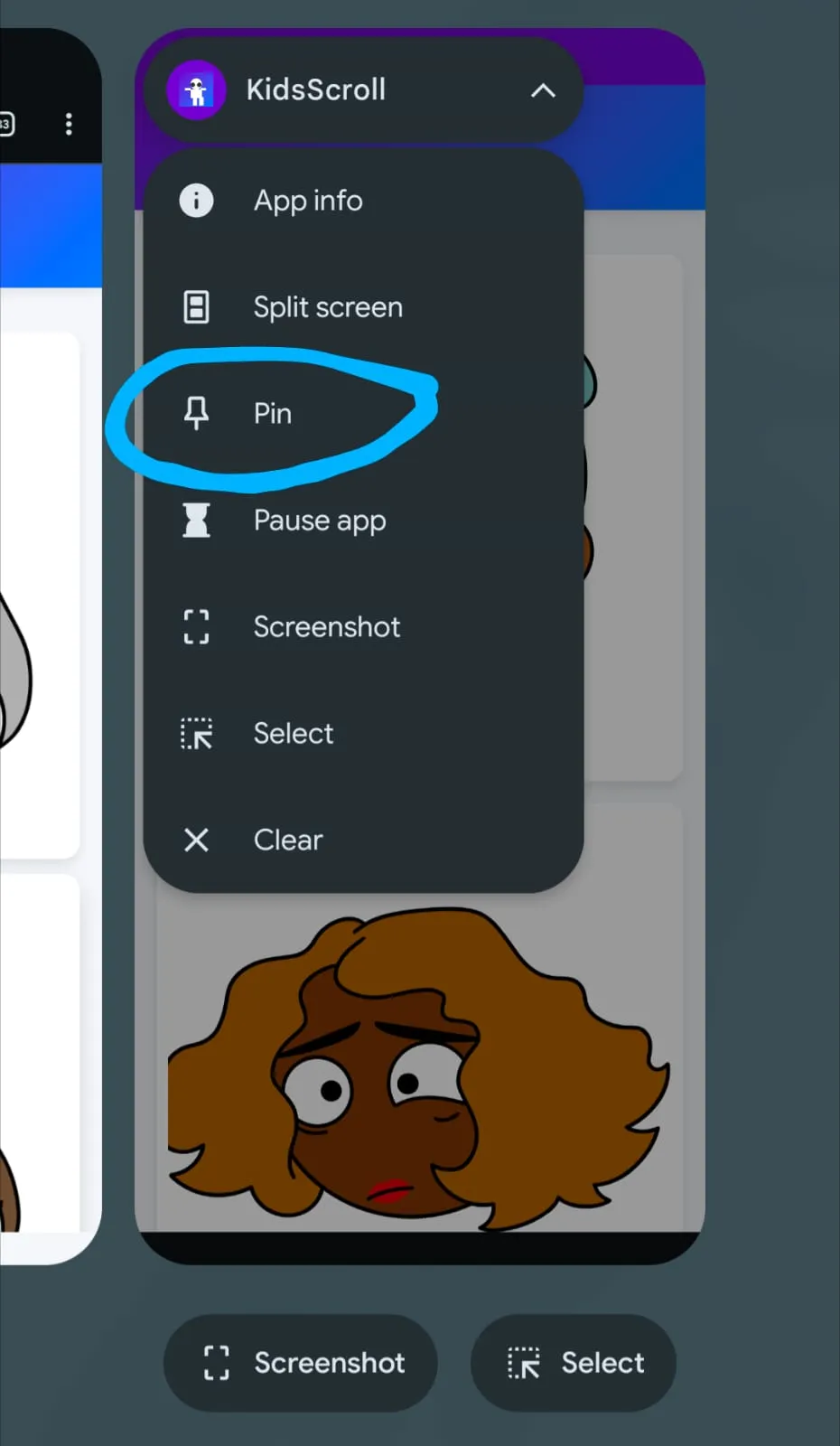
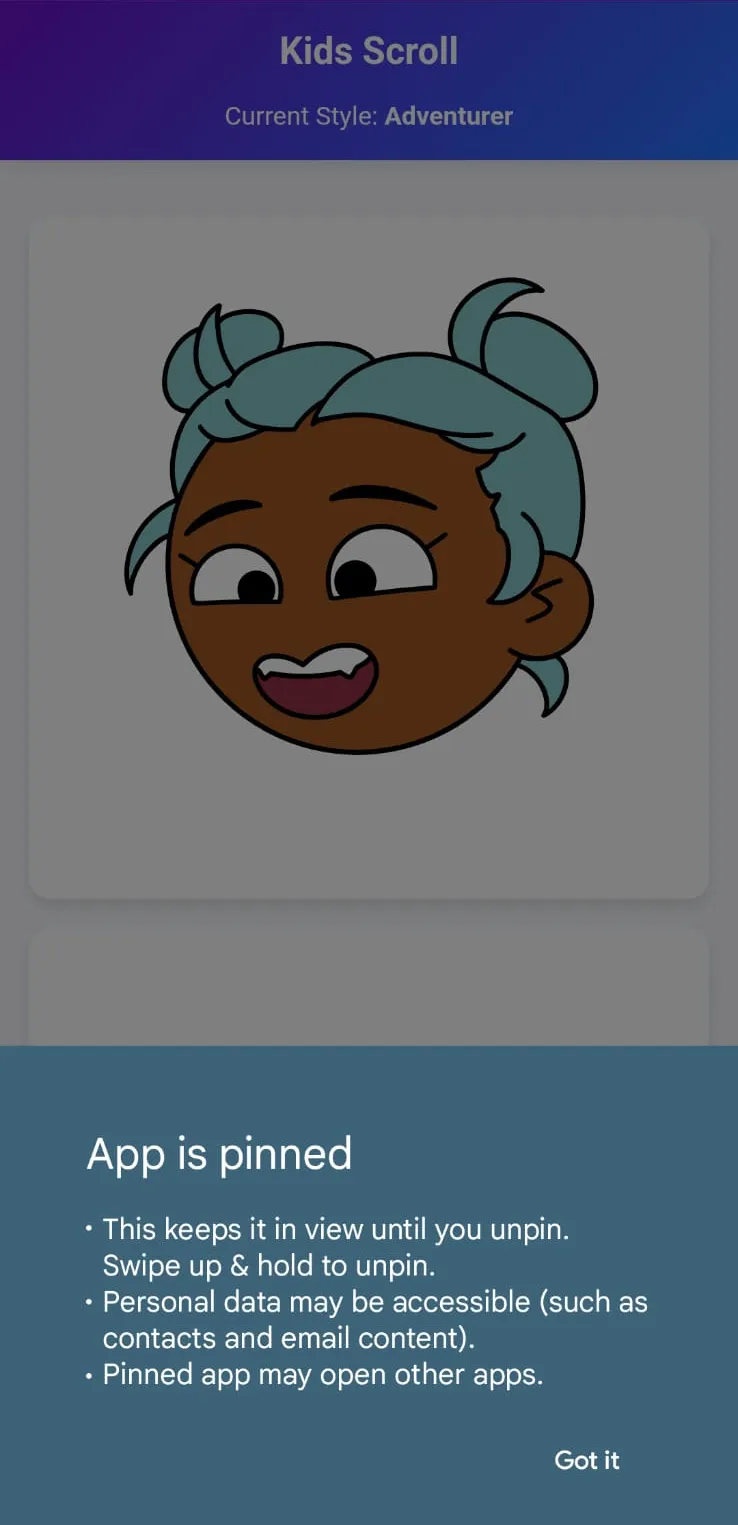
Use the Android App pinning feature to pin this app. This ensures kids won't be able to switch apps or minimize it, giving you complete peace of mind.